Jan 7, 2026
Articles
A practical guide to Notion feedback management (and when to use Lane instead)


A solid feedback management system is how you stop guessing and start building what customers actually want. For many startups and fast-moving teams, the first tool they reach for is one they already use every day: Notion. Its flexibility makes it a great, low-cost starting point for centralizing everything from meeting notes to customer insights.
But as a company grows, that same flexibility can present challenges. The manual processes, lost context, and lack of specialized intelligence can create more friction than clarity. This guide will walk you through setting up a feedback system in Notion, show you its potential limitations, and introduce a purpose-built alternative for teams ready to turn raw feedback into smart, high-impact decisions.
What is Notion?
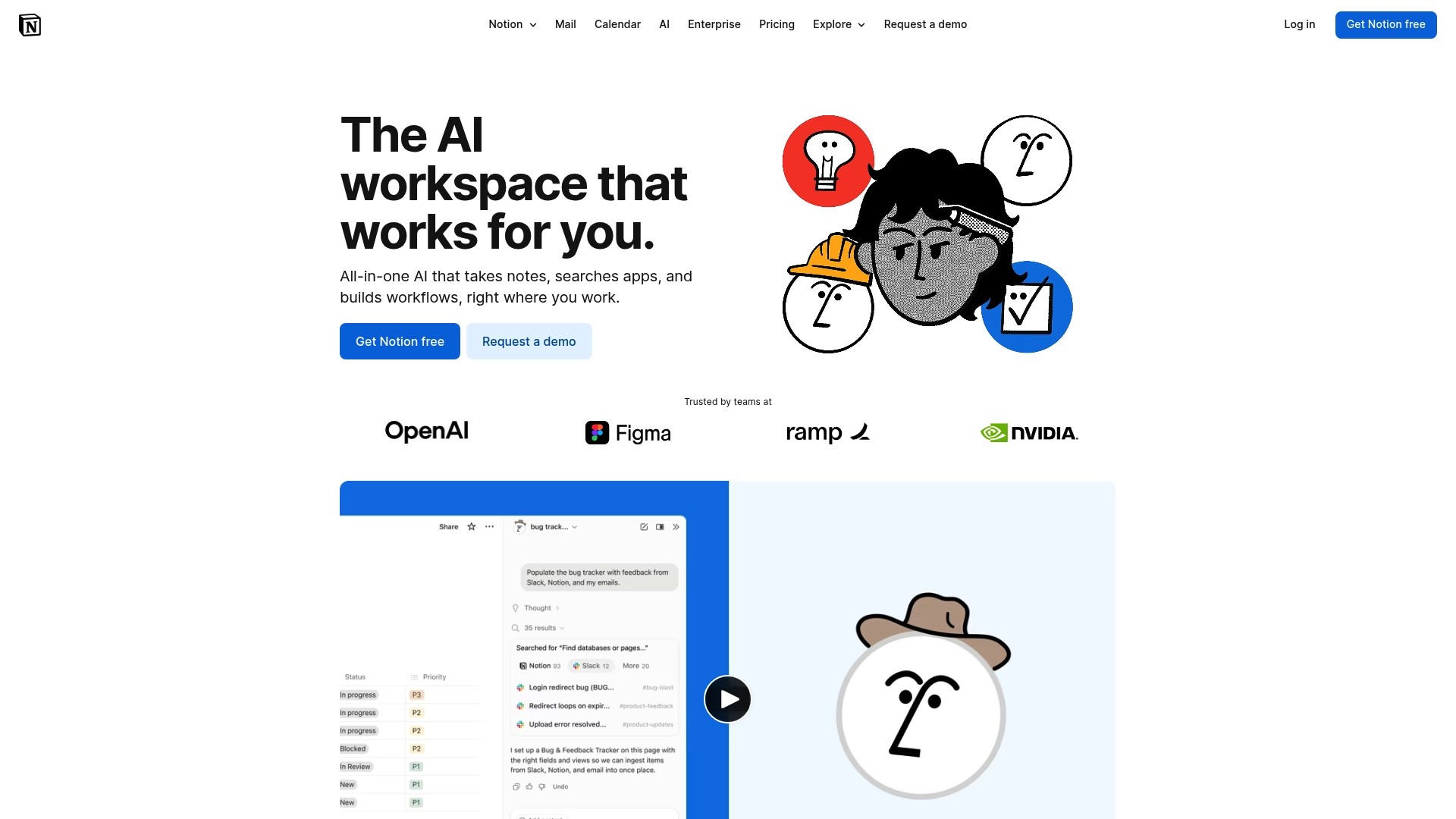
The landing page for Notion, an all-in-one workspace tool, showing its tagline "AI everything app." and a call to action to get started.
Notion is an all-in-one workspace that has become a go-to for modern teams. It combines notes, documents, wikis, and project management into a single, highly customizable platform. It's incredibly popular because you can design custom workflows for just about anything, which is why it's often called an "AI everything app."
At its core, Notion is made of simple building blocks: pages, databases, and blocks. Pages are your canvases, databases give structure to information like tasks or feedback, and blocks are the individual pieces of content like text, images, or tables.
This modular design makes Notion a fantastic general-purpose tool. You can build a simple to-do list, a complex company wiki, or a lightweight CRM all in the same place. For something specialized like product feedback management, however, this generalist nature is both a strength and a weakness. You can build a system that works, but it often takes a lot of manual effort and doesn't have the intelligence to help you find the real signals in all the noise.
How teams use Notion for feedback management
Before we get into the limitations, it helps to see how teams usually set up a feedback system in Notion. Understanding the standard approach makes it clearer where challenges can arise as a team scales.
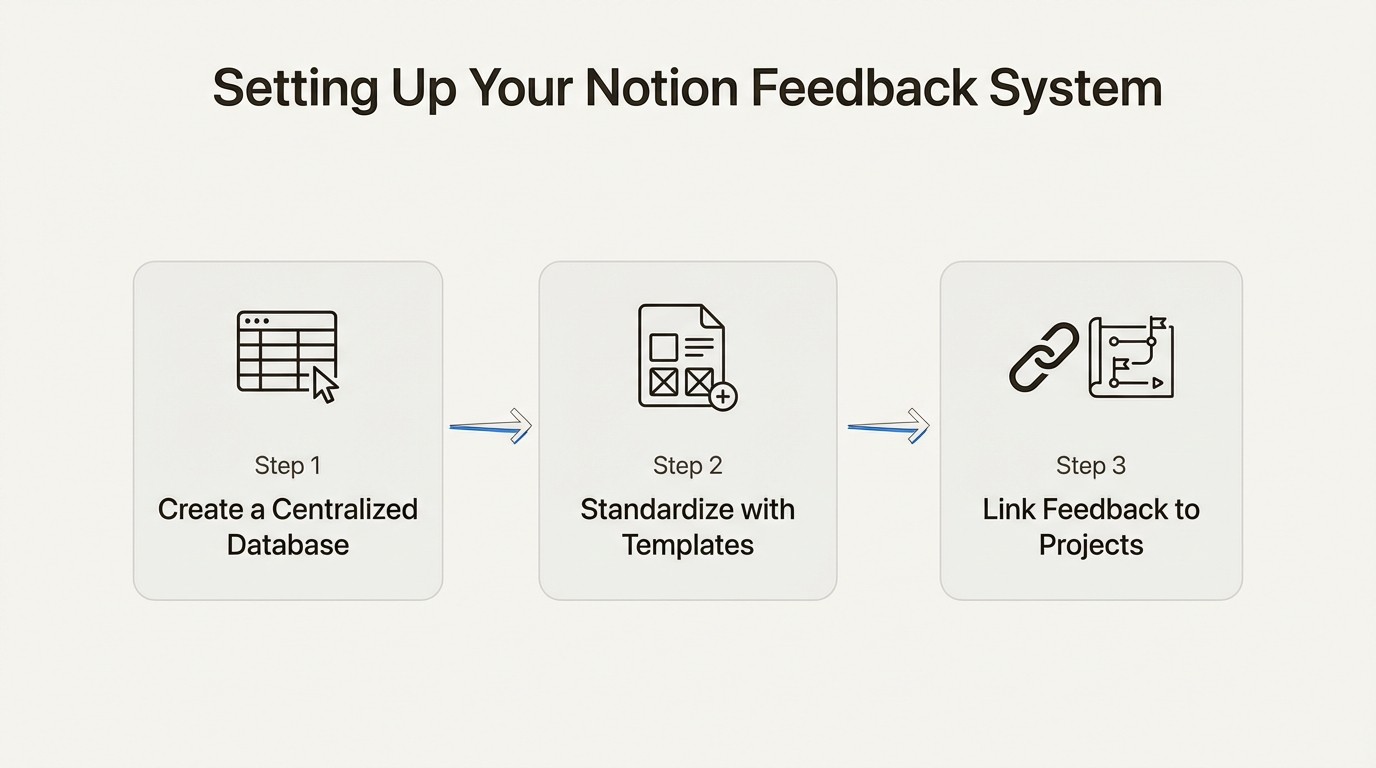
A three-step workflow showing how teams create a database, use templates, and link feedback to projects in Notion.
Creating a centralized feedback database
The foundation of any Notion feedback system is a central database. This acts as the single source for all incoming customer and internal feedback. Setting one up is pretty simple: you create a new page and choose the "Table" database view.
From there, you customize the database with properties to categorize and track each piece of feedback. A typical setup usually includes:
Feedback Title: A quick summary of the request or issue (e.g., "Add dark mode to the dashboard").
Source: A dropdown or tag to show where the feedback came from (e.g., Slack, Email, User Interview, Intercom).
Status: A status property to track the feedback's journey (e.g., New, Under Review, Planned, Shipped).
Reported by: A text or person property to note the customer or team member who shared it.
Priority: A select property to give it a subjective priority level (e.g., High, Medium, Low).
Notes: A text field for any extra context or internal discussion.
This structure gives you a clean, organized view of all feedback in one place. At first, it feels like a huge improvement over scattered notes or a messy spreadsheet.
Using templates to standardize entries
To keep things consistent, smart teams use Notion's database templates. You can create a template for new feedback entries that pre-populates the page with sections for key information, like "Problem to Solve," "Customer's exact words," and "Potential Solution." This ensures everyone on the team captures feedback in the same format, making it much easier to review and compare entries later.
This is such a common setup that Notion even offers official feedback tracker templates to help people get started. These templates provide a solid starting point and reinforce the idea that Notion can handle this task, at least on a basic level.
Linking feedback to projects and tasks
The last step in a typical Notion setup is connecting feedback to the actual development work. Using Notion's "Relation" property, teams can link entries from their feedback database to items in a separate "Projects" or "Roadmap" database.
For example, if five different feedback entries are all about a "Dark Mode" feature, you can link them all to the "Dark Mode" project on the roadmap. This creates a manual connection between customer requests and planned work, giving you some traceability. It's an attempt to answer the question, "Why are we building this?" While it works, the process is entirely manual and depends on a product manager diligently connecting the dots, which gets more time-consuming as feedback volume increases.
Challenges of using a DIY Notion system for feedback management
A Notion-based system works well for a while. But as your team and customer base grow, the manual upkeep can become resource-intensive, and the system's general-purpose nature may present limitations. A system that once felt organized can become more difficult to manage and keep connected to your actual goals.
Manual data capture can lead to lost context
A significant challenge when using Notion for feedback is the data entry process. The process is almost always a manual copy-and-paste. A product manager spots a useful comment in Slack, highlights the text, and pastes it into a new entry in the Notion feedback database.
That simple action can remove valuable context. The nuance of the conversation, the customer's tone, and the follow-up questions from the support team are all gone. You're left with a static piece of text, cut off from its origin. While Notion has an API, building and maintaining custom integrations to automate this requires development resources that most growing teams just don't have.
In contrast, a purpose-built tool like Lane is designed to address this challenge. Out-of-the-box integrations let you capture an entire Slack thread with a single click, preserving the full, link-backed conversation. The customer's original words, the internal discussion, and all the surrounding context are captured and stored, giving you the complete picture, not just a headline.
General-purpose AI vs. specialized intelligence
Notion has gone all-in on its AI features. Notion AI is powerful for general tasks like summarizing a long document, improving your writing, or brainstorming ideas. It’s an impressive assistant that can help across many different workflows.
However, its capabilities are not specialized for analyzing product feedback for specific signals. Notion AI can summarize the text in a feedback entry, but it can't automatically tell you if the customer's sentiment is positive or negative. It can't classify the feedback as a feature request, a bug report, or a general question. To find meaningful patterns, teams still have to rely on manual tagging and sorting, hoping to spot trends across hundreds of entries.
This highlights the role of specialized intelligence. Lane’s platform includes AI that is purpose-built for product discovery. It can automatically detect sentiment, classify the type of insight (e.g., feedback, request, issue), and group related feedback into themes. This cuts down on hours of manual work and helps product teams move from just collecting data to understanding what it all means.
Complex permissions can hinder collaboration
Transparency is crucial for building trust with customers and keeping internal teams aligned. A common goal is to share a high-level roadmap to keep everyone in the loop. While Notion offers several permission levels (like Full access, Can edit content, Can view), configuring them to share a specific, filtered view with an external stakeholder can be complex.
For example, sharing a live, customer-facing roadmap often means either giving away too much access to your internal workspace or creating a separate, static page that you have to update manually every time priorities change. This can create extra work. Closing the feedback loop becomes a chore instead of a seamless part of your process.
Lane addresses this with features designed for stakeholder communication, like Public Roadmaps. These are live, shareable views of your product direction that you can share with a simple link, ensuring customers and internal teams are always looking at the most up-to-date plan without any complicated permission settings.
Difficulty in connecting feedback to business impact
A key challenge is that a Notion database is not inherently designed to connect with business metrics. It's just a collection of qualitative feedback, disconnected from the quantitative metrics that should be driving your decisions.
You can't easily answer questions like:
"How much monthly recurring revenue is tied to this feature request?"
"Which of our enterprise customers are asking for this?"
"Does this feedback align with our quarterly goal to improve user retention?"
Without building complicated and fragile workarounds with formulas and linked databases, prioritization in Notion often relies on subjective measures. Decisions end up being based on volume ("a lot of people asked for this") or voice ("the loudest customer wants this"), not on strategic impact.
A product discovery tool like Lane connects feedback directly to customer data and business goals. By integrating with your customer data sources, you can prioritize opportunities based on their actual business impact, making sure your engineering efforts are focused on what will truly move the needle.
Lane: An alternative for structured feedback management
For teams feeling the friction of a DIY Notion system, teams may find value in a tool designed specifically for this function.
Introducing Lane: The intelligent layer for product teams
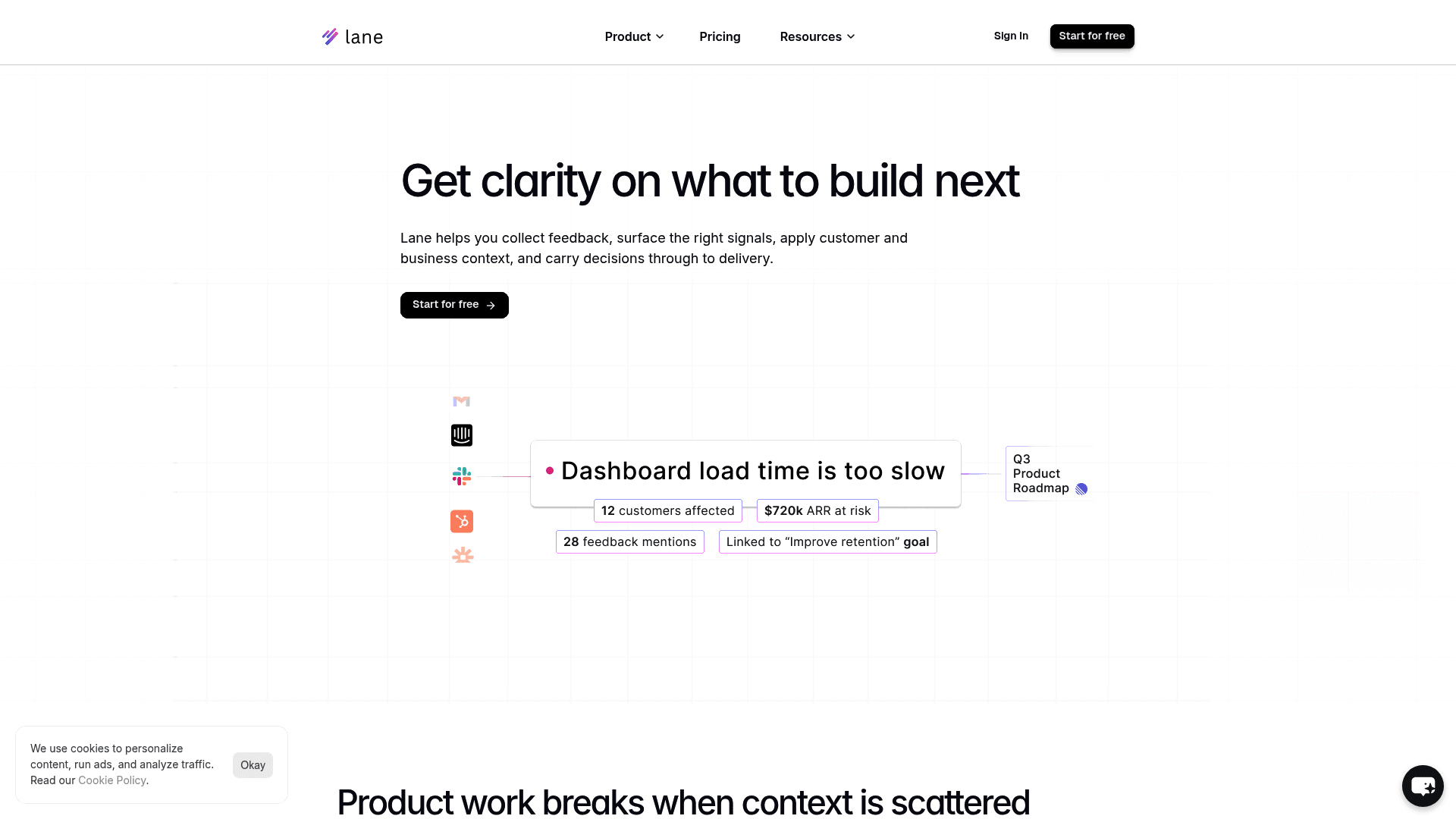
The landing page for Lane, showing the headline The intelligent layer for modern product teams.
Lane is a product discovery platform built to help modern product teams decide what to build next with clarity and confidence. It's not meant to replace your project management tools. Instead, Lane is the intelligent layer that sits above execution tools like Jira or Linear. While they focus on shipping, Lane focuses on ensuring you're shipping the right things. It connects customer feedback, business goals, and strategic priorities to your roadmap.
Surface signals automatically with full context
Lane addresses the challenges of manual capture and context loss associated with general-purpose tools. With deep integrations into the tools where feedback lives—like Slack, Intercom, and Email—capturing insights is effortless and complete. A key feature of Lane is its ability to capture the entire conversation, preserving the original customer voice, nuance, and discussion that surrounds a piece of feedback.
Once captured, Lane's AI-powered features get to work. Automatic sentiment analysis, request-type classification, and thematic clustering turn a flood of raw data into a prioritized list of actionable insights. This frees up product teams from tedious manual categorization, letting them focus on more valuable strategic work.
Decide with business context and strategic alignment
Lane is designed to integrate business context. It allows you to connect feedback to customer data, such as revenue and market segments. This transforms your prioritization process from being opinion-based to data-informed. You can confidently prioritize opportunities based on which initiatives will have the greatest impact on your key business objectives.
By linking feedback directly to your OKRs or strategic goals, you create a clear line of sight from a single customer request all the way up to your company's mission. This alignment ensures that every feature you decide to build is not just a reaction to a request, but a deliberate step toward achieving your strategic goals.
Pricing comparison: Notion vs. Lane
When considering a switch, cost is always a factor. Here’s how the pricing models of Notion and Lane compare for a team focused on feedback management.
Notion pricing
Notion’s pricing is built for general team collaboration. The relevant plans from their current pricing page are:
Free: Good for individuals but limited for teams. It offers unlimited blocks but has a 5 MB file upload limit.
Plus: Starts at $10 per user per month (billed annually). This is the usual starting point for teams, offering unlimited blocks and file uploads.
Business: Starts at $20 per user per month (billed annually) and includes advanced features like SAML SSO and private teamspaces.
It's worth noting that powerful features like Notion AI are a paid add-on, typically costing an additional fee per user per month.
Lane pricing
Lane’s pricing is structured to scale with your product team’s needs. The plans on its official pricing page are:
Starter (Free): A generous free-forever plan that includes up to 100 customer insights, 3 team members, AI summaries, sentiment analysis, and basic integrations. It’s perfect for small teams getting started with structured feedback management.
Business ($19/user/month): When billed annually, this plan offers a 20% saving. It includes everything in the Starter plan plus unlimited insights, advanced integrations (like full Slack thread preservation), customer segmentation with revenue context, and OKR alignment.
Feature | Notion | Lane |
|---|---|---|
Feedback Capture | Primarily manual; automation via API requires development resources | Automated (Slack, Intercom, Email, Chrome Ext.) with full context |
AI Analysis | General-purpose AI (summaries, writing) | Specialized Product AI (auto sentiment, type detection, clustering) |
Business Context | No native connection; requires manual workarounds | Native customer segmentation, revenue data, and OKR alignment |
Stakeholder Sharing | Complex permission levels | Purpose-built Public Roadmaps for easy external sharing |
Pricing Model | Free & Paid Tiers; AI is a paid add-on | Generous Free Starter Plan & Scalable Business Plan |
Execution Integration | Manual linking via "Relations" property | Deep, two-way sync with Linear & Jira |
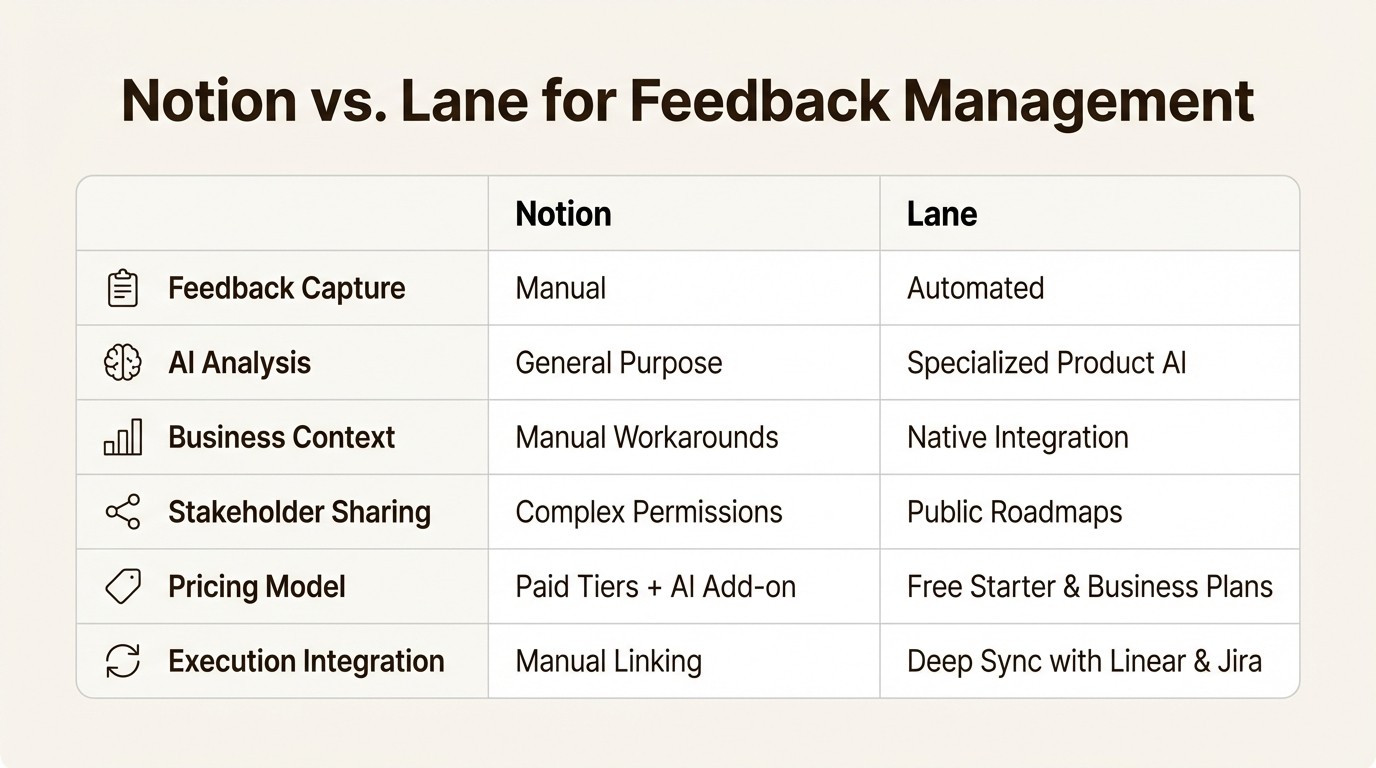
A side-by-side comparison of Notion and Lane across features like feedback capture, AI analysis, and business context.
Moving from a flexible workspace to a specialized system
Notion is an undeniably powerful and flexible tool. For many teams, it's the perfect place to start organizing customer feedback. But its general-purpose nature can eventually present challenges for specialized workflows. The hours spent on manual data entry, the lack of specialized product intelligence, and the disconnect from strategic business goals mean teams spend more time managing their system than learning from their customers.
Graduating from Notion doesn't mean you have to abandon it. It means recognizing the need for a purpose-built tool designed for the unique challenges of product discovery. It's about moving from a simple notebook to an intelligent system that surfaces signals, connects them to business impact, and gives you the confidence to build what matters most.
Streamline your product feedback with Lane
If you're experiencing the challenges of a growing Notion setup, it may be time to explore a purpose-built alternative. Stop wrestling with manual processes and start making data-informed decisions with clarity and confidence.
Explore Lane's free Starter plan today and see how an intelligent, integrated feedback system can transform your product discovery process and drive real business impact.
Frequently asked questions
What are the main signs that my team has outgrown our Notion feedback management setup?
Key signs include spending too much time on manual copy-pasting, losing the original context of feedback, struggling to see patterns in the data, and finding it difficult to connect feature requests to actual business goals like revenue or customer retention.
How does Lane improve upon the manual data entry required in Notion?
Lane integrates directly with tools like Slack, Intercom, and email. This allows you to capture entire conversations with full context in a single click, eliminating the need for manual data entry and preserving the valuable nuance of the original feedback.
Can I integrate Lane with my existing project tools if I switch from a pure Notion system?
Yes. Lane is designed to be an intelligent layer on top of your execution tools. It offers deep, two-way integrations with platforms like Jira and Linear, so you can push prioritized work into your development cycle without disrupting your team's existing workflow.
Is the AI in Lane fundamentally different from the AI used in Notion?
Absolutely. Notion AI is a general-purpose assistant for tasks like summarizing text. Lane's AI is [specialized for product discovery](https://www.laneapp.co/blog/tools-for-product-managers-a-practical-guide-for-modern-teams-(2026)). It automatically analyzes sentiment, classifies feedback types (like bug reports vs. feature requests), and clusters similar insights into themes, providing much deeper, actionable intelligence.
What's the key business advantage of moving from a Notion database to a dedicated tool like Lane?
The main advantage is the ability to make data-informed decisions. Lane connects feedback directly to customer data (like revenue and market segment) and strategic goals (like OKRs). This allows you to prioritize what to build based on tangible business impact, not just on volume or gut feeling.
How does Lane handle stakeholder communication compared to sharing a database in Notion?
Instead of dealing with complex permissions in Notion, Lane offers features like Public Roadmaps. These are live, shareable views of your product direction that you can send to customers or internal teams with a simple link, ensuring everyone is always aligned without compromising your workspace's security.
A solid feedback management system is how you stop guessing and start building what customers actually want. For many startups and fast-moving teams, the first tool they reach for is one they already use every day: Notion. Its flexibility makes it a great, low-cost starting point for centralizing everything from meeting notes to customer insights.
But as a company grows, that same flexibility can present challenges. The manual processes, lost context, and lack of specialized intelligence can create more friction than clarity. This guide will walk you through setting up a feedback system in Notion, show you its potential limitations, and introduce a purpose-built alternative for teams ready to turn raw feedback into smart, high-impact decisions.
What is Notion?

The landing page for Notion, an all-in-one workspace tool, showing its tagline "AI everything app." and a call to action to get started.
Notion is an all-in-one workspace that has become a go-to for modern teams. It combines notes, documents, wikis, and project management into a single, highly customizable platform. It's incredibly popular because you can design custom workflows for just about anything, which is why it's often called an "AI everything app."
At its core, Notion is made of simple building blocks: pages, databases, and blocks. Pages are your canvases, databases give structure to information like tasks or feedback, and blocks are the individual pieces of content like text, images, or tables.
This modular design makes Notion a fantastic general-purpose tool. You can build a simple to-do list, a complex company wiki, or a lightweight CRM all in the same place. For something specialized like product feedback management, however, this generalist nature is both a strength and a weakness. You can build a system that works, but it often takes a lot of manual effort and doesn't have the intelligence to help you find the real signals in all the noise.
How teams use Notion for feedback management
Before we get into the limitations, it helps to see how teams usually set up a feedback system in Notion. Understanding the standard approach makes it clearer where challenges can arise as a team scales.

A three-step workflow showing how teams create a database, use templates, and link feedback to projects in Notion.
Creating a centralized feedback database
The foundation of any Notion feedback system is a central database. This acts as the single source for all incoming customer and internal feedback. Setting one up is pretty simple: you create a new page and choose the "Table" database view.
From there, you customize the database with properties to categorize and track each piece of feedback. A typical setup usually includes:
Feedback Title: A quick summary of the request or issue (e.g., "Add dark mode to the dashboard").
Source: A dropdown or tag to show where the feedback came from (e.g., Slack, Email, User Interview, Intercom).
Status: A status property to track the feedback's journey (e.g., New, Under Review, Planned, Shipped).
Reported by: A text or person property to note the customer or team member who shared it.
Priority: A select property to give it a subjective priority level (e.g., High, Medium, Low).
Notes: A text field for any extra context or internal discussion.
This structure gives you a clean, organized view of all feedback in one place. At first, it feels like a huge improvement over scattered notes or a messy spreadsheet.
Using templates to standardize entries
To keep things consistent, smart teams use Notion's database templates. You can create a template for new feedback entries that pre-populates the page with sections for key information, like "Problem to Solve," "Customer's exact words," and "Potential Solution." This ensures everyone on the team captures feedback in the same format, making it much easier to review and compare entries later.
This is such a common setup that Notion even offers official feedback tracker templates to help people get started. These templates provide a solid starting point and reinforce the idea that Notion can handle this task, at least on a basic level.
Linking feedback to projects and tasks
The last step in a typical Notion setup is connecting feedback to the actual development work. Using Notion's "Relation" property, teams can link entries from their feedback database to items in a separate "Projects" or "Roadmap" database.
For example, if five different feedback entries are all about a "Dark Mode" feature, you can link them all to the "Dark Mode" project on the roadmap. This creates a manual connection between customer requests and planned work, giving you some traceability. It's an attempt to answer the question, "Why are we building this?" While it works, the process is entirely manual and depends on a product manager diligently connecting the dots, which gets more time-consuming as feedback volume increases.
Challenges of using a DIY Notion system for feedback management
A Notion-based system works well for a while. But as your team and customer base grow, the manual upkeep can become resource-intensive, and the system's general-purpose nature may present limitations. A system that once felt organized can become more difficult to manage and keep connected to your actual goals.
Manual data capture can lead to lost context
A significant challenge when using Notion for feedback is the data entry process. The process is almost always a manual copy-and-paste. A product manager spots a useful comment in Slack, highlights the text, and pastes it into a new entry in the Notion feedback database.
That simple action can remove valuable context. The nuance of the conversation, the customer's tone, and the follow-up questions from the support team are all gone. You're left with a static piece of text, cut off from its origin. While Notion has an API, building and maintaining custom integrations to automate this requires development resources that most growing teams just don't have.
In contrast, a purpose-built tool like Lane is designed to address this challenge. Out-of-the-box integrations let you capture an entire Slack thread with a single click, preserving the full, link-backed conversation. The customer's original words, the internal discussion, and all the surrounding context are captured and stored, giving you the complete picture, not just a headline.
General-purpose AI vs. specialized intelligence
Notion has gone all-in on its AI features. Notion AI is powerful for general tasks like summarizing a long document, improving your writing, or brainstorming ideas. It’s an impressive assistant that can help across many different workflows.
However, its capabilities are not specialized for analyzing product feedback for specific signals. Notion AI can summarize the text in a feedback entry, but it can't automatically tell you if the customer's sentiment is positive or negative. It can't classify the feedback as a feature request, a bug report, or a general question. To find meaningful patterns, teams still have to rely on manual tagging and sorting, hoping to spot trends across hundreds of entries.
This highlights the role of specialized intelligence. Lane’s platform includes AI that is purpose-built for product discovery. It can automatically detect sentiment, classify the type of insight (e.g., feedback, request, issue), and group related feedback into themes. This cuts down on hours of manual work and helps product teams move from just collecting data to understanding what it all means.
Complex permissions can hinder collaboration
Transparency is crucial for building trust with customers and keeping internal teams aligned. A common goal is to share a high-level roadmap to keep everyone in the loop. While Notion offers several permission levels (like Full access, Can edit content, Can view), configuring them to share a specific, filtered view with an external stakeholder can be complex.
For example, sharing a live, customer-facing roadmap often means either giving away too much access to your internal workspace or creating a separate, static page that you have to update manually every time priorities change. This can create extra work. Closing the feedback loop becomes a chore instead of a seamless part of your process.
Lane addresses this with features designed for stakeholder communication, like Public Roadmaps. These are live, shareable views of your product direction that you can share with a simple link, ensuring customers and internal teams are always looking at the most up-to-date plan without any complicated permission settings.
Difficulty in connecting feedback to business impact
A key challenge is that a Notion database is not inherently designed to connect with business metrics. It's just a collection of qualitative feedback, disconnected from the quantitative metrics that should be driving your decisions.
You can't easily answer questions like:
"How much monthly recurring revenue is tied to this feature request?"
"Which of our enterprise customers are asking for this?"
"Does this feedback align with our quarterly goal to improve user retention?"
Without building complicated and fragile workarounds with formulas and linked databases, prioritization in Notion often relies on subjective measures. Decisions end up being based on volume ("a lot of people asked for this") or voice ("the loudest customer wants this"), not on strategic impact.
A product discovery tool like Lane connects feedback directly to customer data and business goals. By integrating with your customer data sources, you can prioritize opportunities based on their actual business impact, making sure your engineering efforts are focused on what will truly move the needle.
Lane: An alternative for structured feedback management
For teams feeling the friction of a DIY Notion system, teams may find value in a tool designed specifically for this function.
Introducing Lane: The intelligent layer for product teams

The landing page for Lane, showing the headline The intelligent layer for modern product teams.
Lane is a product discovery platform built to help modern product teams decide what to build next with clarity and confidence. It's not meant to replace your project management tools. Instead, Lane is the intelligent layer that sits above execution tools like Jira or Linear. While they focus on shipping, Lane focuses on ensuring you're shipping the right things. It connects customer feedback, business goals, and strategic priorities to your roadmap.
Surface signals automatically with full context
Lane addresses the challenges of manual capture and context loss associated with general-purpose tools. With deep integrations into the tools where feedback lives—like Slack, Intercom, and Email—capturing insights is effortless and complete. A key feature of Lane is its ability to capture the entire conversation, preserving the original customer voice, nuance, and discussion that surrounds a piece of feedback.
Once captured, Lane's AI-powered features get to work. Automatic sentiment analysis, request-type classification, and thematic clustering turn a flood of raw data into a prioritized list of actionable insights. This frees up product teams from tedious manual categorization, letting them focus on more valuable strategic work.
Decide with business context and strategic alignment
Lane is designed to integrate business context. It allows you to connect feedback to customer data, such as revenue and market segments. This transforms your prioritization process from being opinion-based to data-informed. You can confidently prioritize opportunities based on which initiatives will have the greatest impact on your key business objectives.
By linking feedback directly to your OKRs or strategic goals, you create a clear line of sight from a single customer request all the way up to your company's mission. This alignment ensures that every feature you decide to build is not just a reaction to a request, but a deliberate step toward achieving your strategic goals.
Pricing comparison: Notion vs. Lane
When considering a switch, cost is always a factor. Here’s how the pricing models of Notion and Lane compare for a team focused on feedback management.
Notion pricing
Notion’s pricing is built for general team collaboration. The relevant plans from their current pricing page are:
Free: Good for individuals but limited for teams. It offers unlimited blocks but has a 5 MB file upload limit.
Plus: Starts at $10 per user per month (billed annually). This is the usual starting point for teams, offering unlimited blocks and file uploads.
Business: Starts at $20 per user per month (billed annually) and includes advanced features like SAML SSO and private teamspaces.
It's worth noting that powerful features like Notion AI are a paid add-on, typically costing an additional fee per user per month.
Lane pricing
Lane’s pricing is structured to scale with your product team’s needs. The plans on its official pricing page are:
Starter (Free): A generous free-forever plan that includes up to 100 customer insights, 3 team members, AI summaries, sentiment analysis, and basic integrations. It’s perfect for small teams getting started with structured feedback management.
Business ($19/user/month): When billed annually, this plan offers a 20% saving. It includes everything in the Starter plan plus unlimited insights, advanced integrations (like full Slack thread preservation), customer segmentation with revenue context, and OKR alignment.
Feature | Notion | Lane |
|---|---|---|
Feedback Capture | Primarily manual; automation via API requires development resources | Automated (Slack, Intercom, Email, Chrome Ext.) with full context |
AI Analysis | General-purpose AI (summaries, writing) | Specialized Product AI (auto sentiment, type detection, clustering) |
Business Context | No native connection; requires manual workarounds | Native customer segmentation, revenue data, and OKR alignment |
Stakeholder Sharing | Complex permission levels | Purpose-built Public Roadmaps for easy external sharing |
Pricing Model | Free & Paid Tiers; AI is a paid add-on | Generous Free Starter Plan & Scalable Business Plan |
Execution Integration | Manual linking via "Relations" property | Deep, two-way sync with Linear & Jira |

A side-by-side comparison of Notion and Lane across features like feedback capture, AI analysis, and business context.
Moving from a flexible workspace to a specialized system
Notion is an undeniably powerful and flexible tool. For many teams, it's the perfect place to start organizing customer feedback. But its general-purpose nature can eventually present challenges for specialized workflows. The hours spent on manual data entry, the lack of specialized product intelligence, and the disconnect from strategic business goals mean teams spend more time managing their system than learning from their customers.
Graduating from Notion doesn't mean you have to abandon it. It means recognizing the need for a purpose-built tool designed for the unique challenges of product discovery. It's about moving from a simple notebook to an intelligent system that surfaces signals, connects them to business impact, and gives you the confidence to build what matters most.
Streamline your product feedback with Lane
If you're experiencing the challenges of a growing Notion setup, it may be time to explore a purpose-built alternative. Stop wrestling with manual processes and start making data-informed decisions with clarity and confidence.
Explore Lane's free Starter plan today and see how an intelligent, integrated feedback system can transform your product discovery process and drive real business impact.
Frequently asked questions
What are the main signs that my team has outgrown our Notion feedback management setup?
Key signs include spending too much time on manual copy-pasting, losing the original context of feedback, struggling to see patterns in the data, and finding it difficult to connect feature requests to actual business goals like revenue or customer retention.
How does Lane improve upon the manual data entry required in Notion?
Lane integrates directly with tools like Slack, Intercom, and email. This allows you to capture entire conversations with full context in a single click, eliminating the need for manual data entry and preserving the valuable nuance of the original feedback.
Can I integrate Lane with my existing project tools if I switch from a pure Notion system?
Yes. Lane is designed to be an intelligent layer on top of your execution tools. It offers deep, two-way integrations with platforms like Jira and Linear, so you can push prioritized work into your development cycle without disrupting your team's existing workflow.
Is the AI in Lane fundamentally different from the AI used in Notion?
Absolutely. Notion AI is a general-purpose assistant for tasks like summarizing text. Lane's AI is [specialized for product discovery](https://www.laneapp.co/blog/tools-for-product-managers-a-practical-guide-for-modern-teams-(2026)). It automatically analyzes sentiment, classifies feedback types (like bug reports vs. feature requests), and clusters similar insights into themes, providing much deeper, actionable intelligence.
What's the key business advantage of moving from a Notion database to a dedicated tool like Lane?
The main advantage is the ability to make data-informed decisions. Lane connects feedback directly to customer data (like revenue and market segment) and strategic goals (like OKRs). This allows you to prioritize what to build based on tangible business impact, not just on volume or gut feeling.
How does Lane handle stakeholder communication compared to sharing a database in Notion?
Instead of dealing with complex permissions in Notion, Lane offers features like Public Roadmaps. These are live, shareable views of your product direction that you can send to customers or internal teams with a simple link, ensuring everyone is always aligned without compromising your workspace's security.
Expected a CTA? We're are working on it.
If you are still not convinced, give lane a try yourself.
Expected a CTA? We're are working on it.
If you are still not convinced, give lane a try yourself.