Dec 10, 2025

Articles

How to Use Slack for Customer Feedback Management
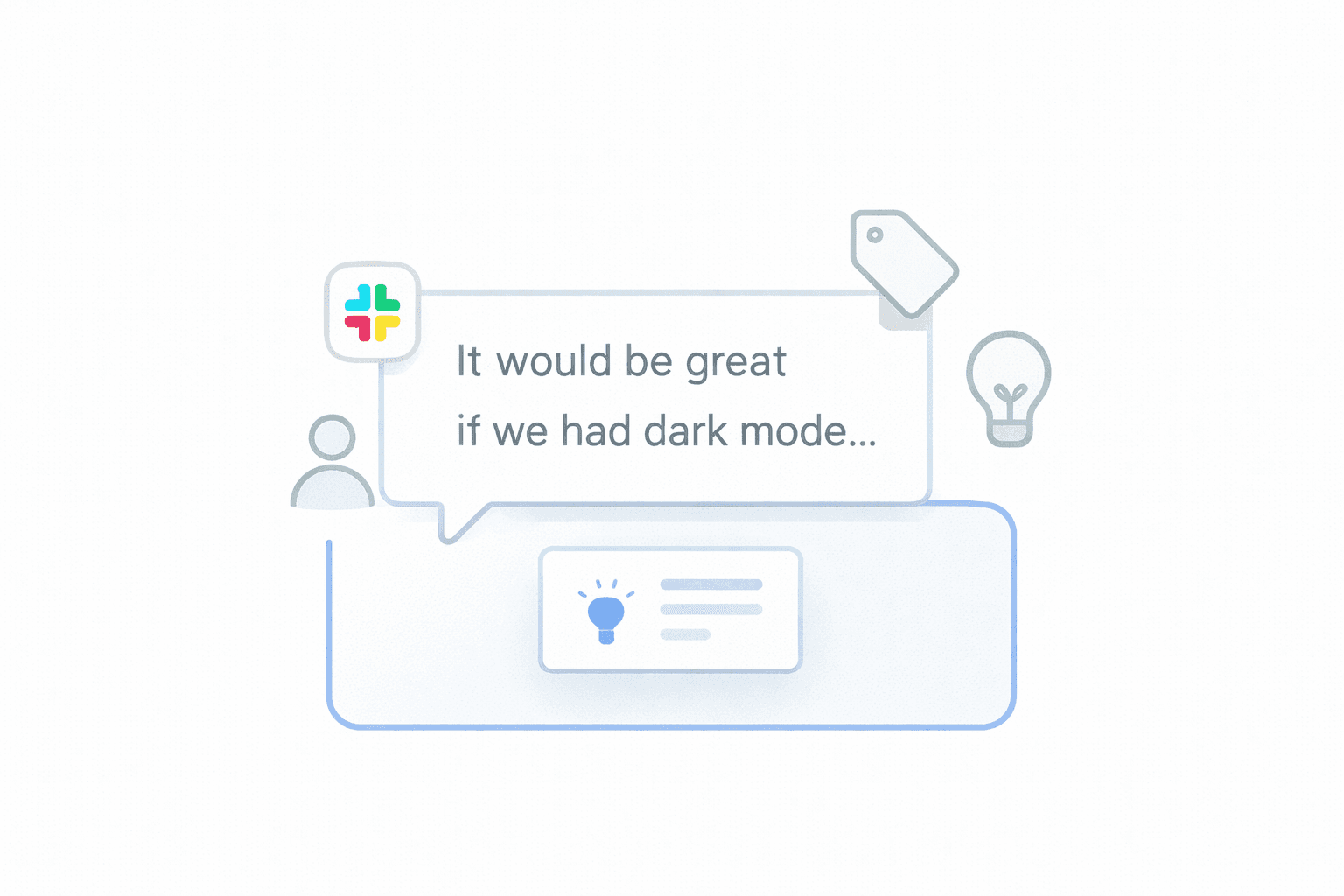
Feedback management with Slack and Lane

B2B SaaS teams use Slack to manage customer feedback by creating shared channels, inviting customers or internal teams, and capturing feedback from real conversations.
However, Slack alone is not enough. To get real value, teams must centralize Slack feedback, analyze sentiment and intent, and connect it to prioritization and delivery tools.
This is where Lane helps - by turning Slack threads into structured, actionable product signals.

Why This Matters for SaaS Teams

Slack is where real feedback happens.
Not in surveys. Not in tickets. But in everyday conversations.

For most SaaS startups and SMBs:

  • Customers share feedback in Slack Connect channels

  • Sales and CS drop insights into internal Slack channels

  • PMs scroll, react, and bookmark messages - then forget them later

The result:

  • Feedback is scattered across channels

  • Important context stays buried in threads

  • Prioritization becomes opinion-driven, not signal-driven

Slack is great for collecting feedback, but weak at making sense of it.

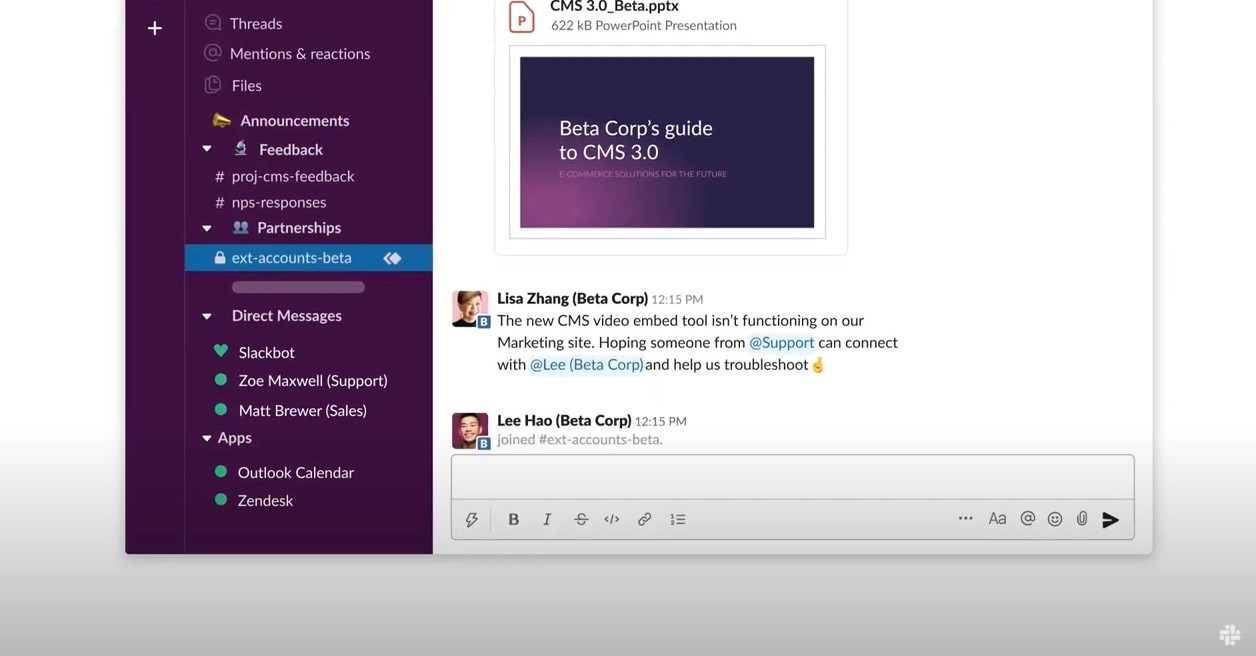
How SaaS Teams Typically Use Slack for Feedback Today
https://d34u8crftukxnk.cloudfront.net/slackpress/prod/sites/6/Screen-Shot-2021-12-16-at-3.36.38-PM.jpg?amp%3Bcrop=1&amp%3Bh=96&w=128


Common Slack setups in SaaS teams

Most teams follow some variation of this:

1. Dedicated feedback channels

  • #customer-feedback

  • #feature-requests

  • #sales-insights

  • #support-escalations

2. Slack Connect with customers

  • Shared channels with key customers

  • Used for onboarding, support, and quick feedback

3. Manual handoff to PM tools

  • Someone copies messages into docs, tickets, or backlog tools

  • Context often gets lost in the process

This works at a very small scale.
It breaks as soon as feedback volume grows.

The Core Problem: Slack Is Not a Feedback System

Slack messages are:

  • Unstructured

  • Context-heavy

  • Spread across replies, emojis, and side conversations

Teams struggle with:

  • Identifying whether feedback is a bug, request, idea, or praise

  • Understanding sentiment across multiple messages

  • Seeing patterns across customers

  • Linking feedback to roadmap and delivery tools

This is where most teams stall.

What high-performing SaaS teams do differently

Instead of treating Slack as the system of record, they:

  1. Collect Slack feedback automatically in one place

  2. Preserve the full thread context

  3. Analyze feedback for meaning, not just volume

  4. Prioritize based on real customer signals

  5. Push validated work into delivery tools

This is exactly the workflow Lane is designed for.

How Lane Helps You Manage Slack Feedback Effectively
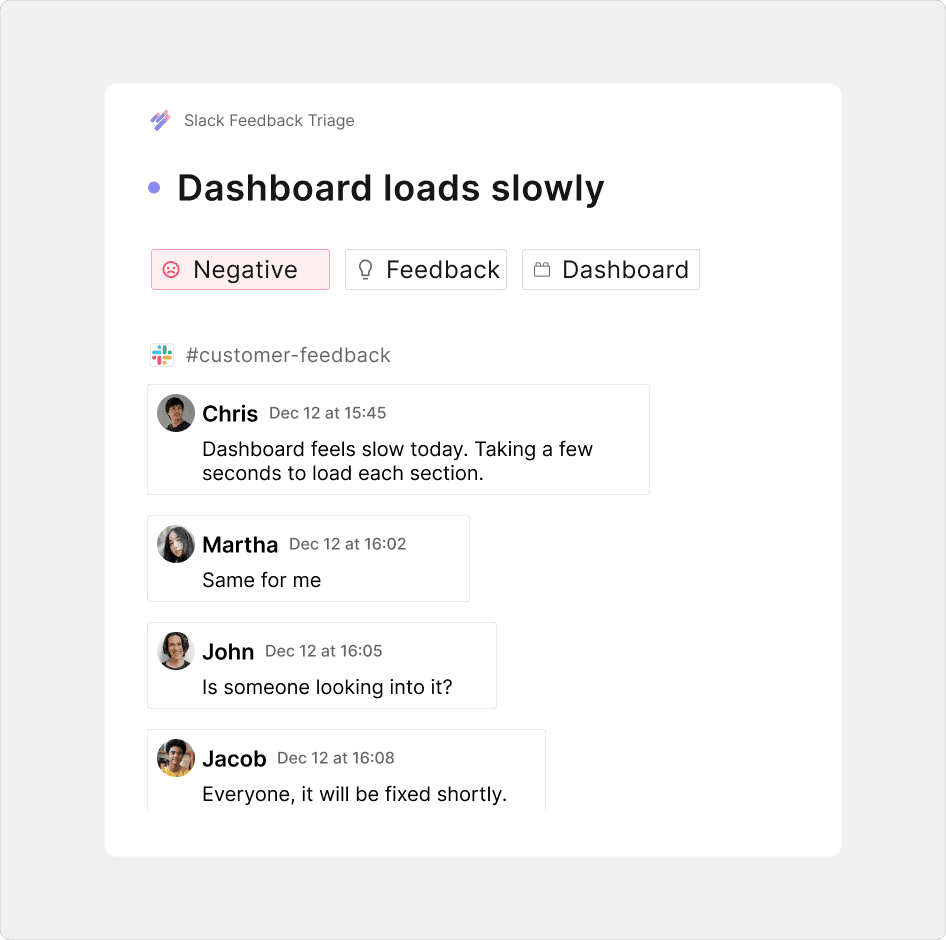
1. Centralize Slack feedback in Lane

Lane brings Slack conversations and threads into a single system - without losing context.

You no longer need to:

  • Copy-paste messages

  • Summarize from memory

  • Decide “later” what matters

Everything lives in one place.

2. Automatically analyze feedback with AI

Once Slack feedback is in Lane, it is analyzed for:

  • Sentiment (positive, neutral, negative)

  • Type (bug, request, idea, feedback, praise)

  • Product relevance and signals

This helps teams move from “lots of messages” to “clear insights”.

3. Surface the right signals for prioritization

Lane doesn’t just store feedback.
It helps you understand:

  • Which requests repeat across customers

  • What issues create the most negative sentiment

  • Which ideas align with your product goals

This makes prioritization grounded in evidence - not opinions.

4. Connect feedback to delivery tools

Once feedback is validated, teams can push it into delivery workflows such as Linear or Jira.

Slack → Lane → Delivery
Clean. Structured. Traceable.

You always know:

  • Why something was built

  • Which customers influenced it

  • What outcome it delivered

Talk to customers in Slack, analyze and prioritize feedback in Lane, send to linear for delivery.

Real-World Example Workflow

A typical SaaS team using Lane looks like this:

  1. Customer shares feedback in Slack Connect

  2. Conversation flows naturally in Slack

  3. Lane captures the full thread

  4. Feedback is analyzed and categorized automatically

  5. PM reviews prioritized signals in Lane

  6. Selected items move to Linear or Jira

No manual chasing. No lost context.

Add Lane to your Slack workspace

FAQ: Slack Feedback Management

Can Slack be used as a feedback management tool?

Slack is excellent for collecting feedback but poor at organizing and prioritizing it. Teams need a system like Lane to turn Slack conversations into actionable insights.

Why not just use tickets or spreadsheets?

Manual systems lose context, don’t scale, and depend heavily on discipline. Lane automates structure and analysis while keeping Slack workflows intact.

Does Lane replace Slack?

No. Slack remains the conversation layer. Lane becomes the intelligence and decision layer on top of it.

Can I analyze sentiment across Slack feedback?

Yes. Lane automatically detects sentiment and feedback type so teams can focus on what truly matters.

Is this useful for early-stage SaaS teams?

Especially useful. Early-stage teams get high-signal feedback but lack systems to manage it. Lane brings clarity without heavy process.

Closing: Make Slack Feedback Actually Work for You

Slack is where customers talk.
Lane is where teams understand, prioritize, and act.

If your Slack is full of valuable feedback but your roadmap still feels unclear, the problem isn’t feedback - it’s how you process it.

Use Lane to manage Slack feedback effectively - and turn conversations into confident product decisions.

Add Lane to your Slack workspace

B2B SaaS teams use Slack to manage customer feedback by creating shared channels, inviting customers or internal teams, and capturing feedback from real conversations.
However, Slack alone is not enough. To get real value, teams must centralize Slack feedback, analyze sentiment and intent, and connect it to prioritization and delivery tools.
This is where Lane helps - by turning Slack threads into structured, actionable product signals.

Why This Matters for SaaS Teams

Slack is where real feedback happens.
Not in surveys. Not in tickets. But in everyday conversations.

For most SaaS startups and SMBs:

  • Customers share feedback in Slack Connect channels

  • Sales and CS drop insights into internal Slack channels

  • PMs scroll, react, and bookmark messages - then forget them later

The result:

  • Feedback is scattered across channels

  • Important context stays buried in threads

  • Prioritization becomes opinion-driven, not signal-driven

Slack is great for collecting feedback, but weak at making sense of it.

How SaaS Teams Typically Use Slack for Feedback Today

https://d34u8crftukxnk.cloudfront.net/slackpress/prod/sites/6/Screen-Shot-2021-12-16-at-3.36.38-PM.jpg?amp%3Bcrop=1&amp%3Bh=96&w=128


Common Slack setups in SaaS teams

Most teams follow some variation of this:

1. Dedicated feedback channels

  • #customer-feedback

  • #feature-requests

  • #sales-insights

  • #support-escalations

2. Slack Connect with customers

  • Shared channels with key customers

  • Used for onboarding, support, and quick feedback

3. Manual handoff to PM tools

  • Someone copies messages into docs, tickets, or backlog tools

  • Context often gets lost in the process

This works at a very small scale.
It breaks as soon as feedback volume grows.

The Core Problem: Slack Is Not a Feedback System

Slack messages are:

  • Unstructured

  • Context-heavy

  • Spread across replies, emojis, and side conversations

Teams struggle with:

  • Identifying whether feedback is a bug, request, idea, or praise

  • Understanding sentiment across multiple messages

  • Seeing patterns across customers

  • Linking feedback to roadmap and delivery tools

This is where most teams stall.

What high-performing SaaS teams do differently

Instead of treating Slack as the system of record, they:

  1. Collect Slack feedback automatically in one place

  2. Preserve the full thread context

  3. Analyze feedback for meaning, not just volume

  4. Prioritize based on real customer signals

  5. Push validated work into delivery tools

This is exactly the workflow Lane is designed for.

How Lane Helps You Manage Slack Feedback Effectively

1. Centralize Slack feedback in Lane

Lane brings Slack conversations and threads into a single system - without losing context.

You no longer need to:

  • Copy-paste messages

  • Summarize from memory

  • Decide “later” what matters

Everything lives in one place.

2. Automatically analyze feedback with AI

Once Slack feedback is in Lane, it is analyzed for:

  • Sentiment (positive, neutral, negative)

  • Type (bug, request, idea, feedback, praise)

  • Product relevance and signals

This helps teams move from “lots of messages” to “clear insights”.

3. Surface the right signals for prioritization

Lane doesn’t just store feedback.
It helps you understand:

  • Which requests repeat across customers

  • What issues create the most negative sentiment

  • Which ideas align with your product goals

This makes prioritization grounded in evidence - not opinions.

4. Connect feedback to delivery tools

Once feedback is validated, teams can push it into delivery workflows such as Linear or Jira.

Slack → Lane → Delivery
Clean. Structured. Traceable.

You always know:

  • Why something was built

  • Which customers influenced it

  • What outcome it delivered

Talk to customers in Slack, analyze and prioritize feedback in Lane, send to linear for delivery.

Real-World Example Workflow

A typical SaaS team using Lane looks like this:

  1. Customer shares feedback in Slack Connect

  2. Conversation flows naturally in Slack

  3. Lane captures the full thread

  4. Feedback is analyzed and categorized automatically

  5. PM reviews prioritized signals in Lane

  6. Selected items move to Linear or Jira

No manual chasing. No lost context.

Add Lane to your Slack workspace

FAQ: Slack Feedback Management

Can Slack be used as a feedback management tool?

Slack is excellent for collecting feedback but poor at organizing and prioritizing it. Teams need a system like Lane to turn Slack conversations into actionable insights.

Why not just use tickets or spreadsheets?

Manual systems lose context, don’t scale, and depend heavily on discipline. Lane automates structure and analysis while keeping Slack workflows intact.

Does Lane replace Slack?

No. Slack remains the conversation layer. Lane becomes the intelligence and decision layer on top of it.

Can I analyze sentiment across Slack feedback?

Yes. Lane automatically detects sentiment and feedback type so teams can focus on what truly matters.

Is this useful for early-stage SaaS teams?

Especially useful. Early-stage teams get high-signal feedback but lack systems to manage it. Lane brings clarity without heavy process.

Closing: Make Slack Feedback Actually Work for You

Slack is where customers talk.
Lane is where teams understand, prioritize, and act.

If your Slack is full of valuable feedback but your roadmap still feels unclear, the problem isn’t feedback - it’s how you process it.

Use Lane to manage Slack feedback effectively - and turn conversations into confident product decisions.

Add Lane to your Slack workspace

Expected a CTA? We're are working on it.

If you are still not convinced, give lane a try yourself.

Expected a CTA? We're are working on it.

If you are still not convinced, give lane a try yourself.